AI Website Builders vs Traditional Web Design Which One Saves Time
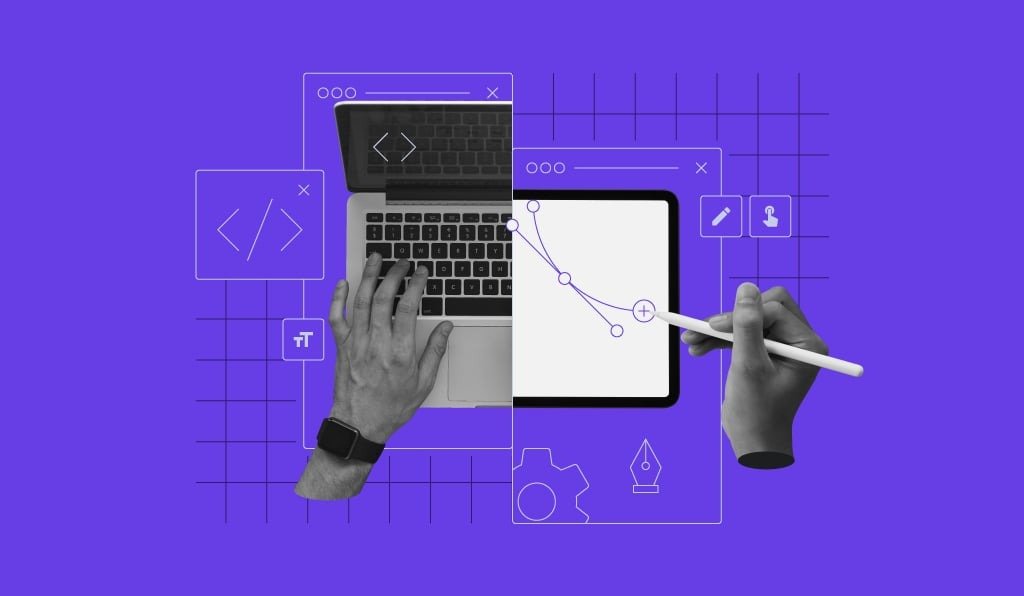
AI website builders are everywhere right now. They promise faster launches, sleek templates, and instant pages generated from a few prompts. For small businesses, agencies, and startups that want a website to go live quickly, that sounds like the perfect solution. But the big question is this: do AI website builders actually save time long-term, or do they create hidden bugs that become expensive later? Traditional web design takes longer upfront, especially when you factor in custom layouts, development time, QA cycles, and approvals. Still, it often delivers cleaner foundations and fewer surprises after launch. In this guide, we will break down both options in a practical way, so you can choose the best approach for your business and avoid common mistakes.
What AI website builders do well
AI website builders can significantly speed up the early stages of a project, especially when the goal is to publish a simple website quickly.
Here are the biggest time-saving benefits:
1. Faster first draft and layout creation
Instead of starting from a blank page, AI builders generate a homepage, service pages, and contact forms within minutes. This reduces brainstorming time and speeds up the design direction.
2. Ready-made templates that look modern
Most AI builders are designed around clean, mobile-friendly layouts. You usually get something visually acceptable immediately, even if it is not fully custom.
3. Quick copywriting and content suggestions
Many AI builders include AI-generated headlines, product descriptions, and calls to action. This is useful for business owners who struggle with writing.
4. Fewer steps to publish
With hosting, SSL, and domain setup often included, AI builders reduce the technical complexity of launching a site.
For fast MVPs, landing pages, local business websites, and basic portfolios, these advantages can be hard to ignore.
Where AI website builders can create hidden bugs
The biggest downside is not what you can see. It is what you do not notice until your site is live and people start using it.
Here are the most common hidden issues businesses run into:
1. Broken forms and unreliable submissions
A form may look perfect visually, but the backend routing, validation, or email delivery may fail. This is especially risky for lead-generation sites, where every missed inquiry is lost revenue.
2. Performance issues and slow loading
Some AI-generated sites include heavy scripts, oversized images, or bloated code. This can cause slow load times, lower SEO performance, and poor mobile experiences.
3. Tracking glitches
Analytics tools can quietly break without obvious symptoms. You might think your ads are not performing when in reality your tracking tags are missing, duplicated, or firing incorrectly.
4. Accessibility gaps
Even modern templates can fail accessibility checks. Issues like poor contrast, missing alt text, broken keyboard navigation, and incorrect headings can hurt both compliance and usability.
5. Unexpected behavior after regenerating pages
One of the most overlooked risks is what happens when you re-run the AI generation feature. Swapping templates, refreshing content, or updating prompts can cause:
- Layout shifts
- Missing buttons
- Broken links
- Reset styling
- Lost sections
- Changes to navigation flow
The result is a website that slowly becomes unstable over time if it is not tested properly after updates.
What traditional web design does better
Traditional web design still matters because it prioritizes structure, customization, and long-term stability.
1. More control over UX and business goals
A human-led design process builds around your audience, your conversion goals, and your industry requirements. This is especially valuable for high-intent websites like:
- Service businesses
- Booking or appointment sites
- eCommerce stores
- Membership platforms
2. Cleaner backend and scalable foundations
When developers build a site intentionally, the code is typically easier to maintain and extend. That means fewer surprises when you add features later.
3. Stronger QA and fewer unknowns
Traditional web projects usually include defined testing stages. Even basic QA catches issues early, such as broken navigation, responsive layout problems, and inconsistent styling. However, traditional design also comes with trade-offs.
The downside of traditional web design
While traditional builds are often more reliable, they can feel slower than AI tools.
Some common drawbacks include:
- Longer turnaround time
- Higher upfront cost
- More back-and-forth communication
- Dependency on developers for updates
For small teams, it can also be frustrating to wait weeks for something that an AI tool can generate in hours.
AI builder vs traditional design: what saves time overall?
The honest answer is: it depends on what “time saved” means for your business.
AI builders save time when:
- You need a website to live quickly
- The site is simple and low-risk
- You are comfortable making edits yourself
- You are not relying heavily on complex integrations
Traditional design saves time when:
- Your site needs reliability and scalability
- You depend on forms, booking, checkout, or lead capture
- You need strong SEO and performance
- You expect frequent updates and feature additions
In other words, AI builders save time upfront, while traditional builds often save time later.
Checklist: how to avoid hidden bugs before launch
Whether you use AI or traditional design, you should validate the website before publishing it publicly.
Here is a simple checklist to reduce launch-day surprises:
Core user flow checks
- Submit every form and confirm the delivery
- Test on mobile, tablet, and desktop
- Click every navigation link and footer link
- Confirm buttons work on all pages
Performance and SEO basics
- Check load speed on mobile
- Ensure pages have clear titles and headings
- Confirm images are compressed and properly sized
Tracking and analytics
- Confirm analytics tags are installed once
- Verify conversion events trigger correctly
- Make sure the confirmation or thank-you page works
Accessibility checks
- Test keyboard navigation
- Verify contrast and readable fonts
- Confirm images have meaningful alt text
Where generative AI testing fits into modern website QA
If your site is built or updated using AI, testing should not be an afterthought. AI systems can change layouts, wording, and structure in ways that affect real user behavior, especially after regenerating pages or applying new templates. That is why many teams now rely on generative AI testing to validate critical workflows like form submissions, checkout or booking flows, analytics tagging, mobile responsiveness, and accessibility-related behavior. This approach helps ensure the website works consistently, even when AI-generated changes are introduced quickly. If you want to go deeper into how AI is changing QA (and how teams are also using AI app builders responsibly), NeuroBitsAI is a great resource to explore alongside guides like this.
Final verdict: which option should you choose?
If you want speed and simplicity, AI website builders can be a smart shortcut, especially for basic websites and early-stage projects. But if you want reliability, clean scalability, and fewer hidden bugs, traditional web design is still the safer long-term investment. The best approach for many businesses is a hybrid strategy: use AI to accelerate initial drafts, then apply disciplined testing and QA before launch and after every major update. That way, you get the speed without the silent failures.
Disclaimer
The information provided in this article is for general informational and educational purposes only. While every effort has been made to ensure accuracy, website technologies, AI tools, and testing practices evolve rapidly, and real-world results may vary based on platform, configuration, and usage.
This article does not constitute professional web development, quality assurance, legal, or business advice. Readers should evaluate AI website builders, traditional web design approaches, and testing methodologies based on their specific business needs and consult qualified professionals when making technical or strategic decisions.